ChatBoxAI
for Android.
The native Android app brings the full ChatBoxAI workspace to your pocket. All releases are published directly from GitHub — what you see here is always the latest version, auto-updated every hour without third-party app stores.
Standalone APK
Direct sideload for Android 7.0 to 15. No Google account required.
Exclusive to Android
Optimised native APK — no Play Store required.
Open Source Releases
Every version is published openly via GitHub Releases.
Auto-Updated
This page refreshes automatically when new versions ship.
releases
All Versions
release history.
Loading…
install
How to install
the APK.
01
Download the APK
Tap the "Download APK" button above or scan the QR code with your phone camera.
02
Allow Unknown Sources
On your Android device, go to Settings → Security → Install unknown apps and allow your browser.
03
Open the APK File
Locate the downloaded file in your Downloads folder and tap it to begin installation.
04
Launch ChatBoxAI
Once installed, open the app and start using 56+ AI models immediately.
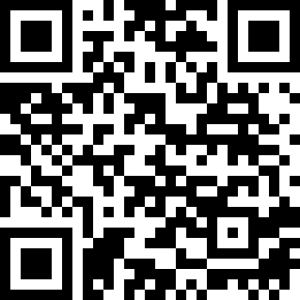
Instant Mobile Sideload
Open your phone's default camera app, point it directly at this QR code, and tap the link that appears to download the APK instantly.